FALL 2026 UPDATE
goHeather is now a full legal AI. Create documents, review documents, research the law.
Try For Free Now



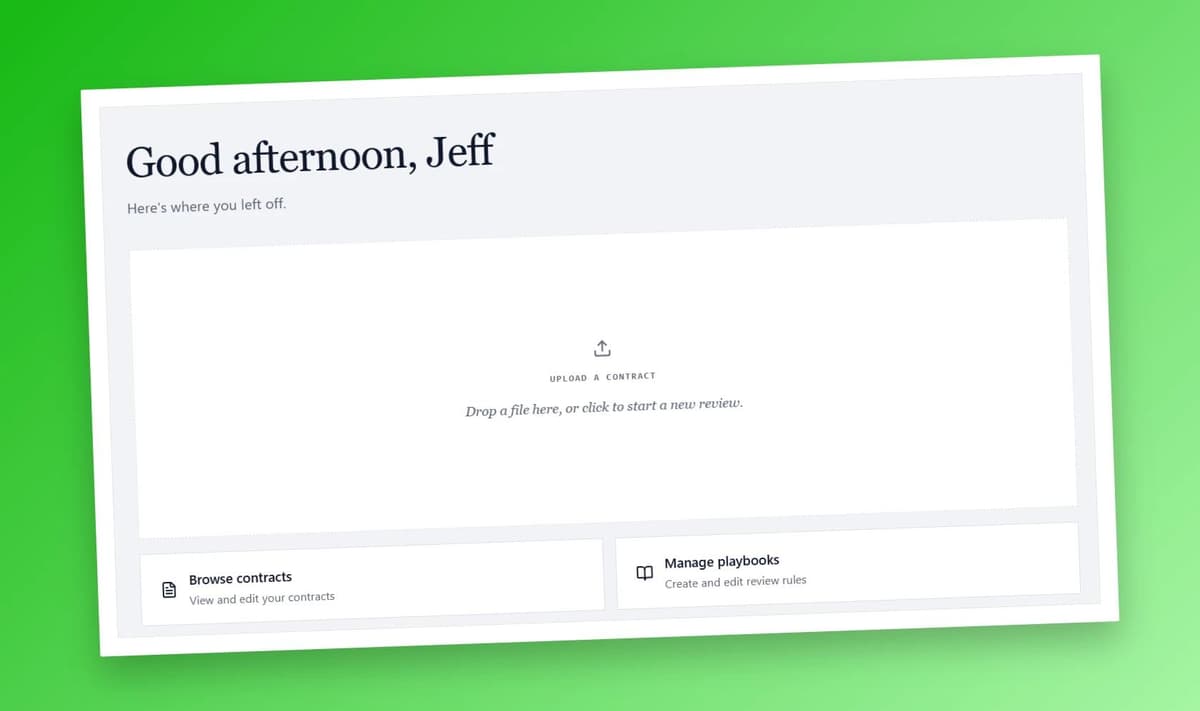
Last month a founder forwarded me a vendor MSA and asked what I would push back on. I told her to drop it into ChatGPT first and see what came back. She did. An hour later she sent me a follow up: "ChatGPT gave me a list of fifteen things. Now what?"
That follow-up is the whole problem with using a general-purpose chatbot to review a contract. The thinking is fine. The output is a wall of text in a chat thread. You still have to go and do the work.
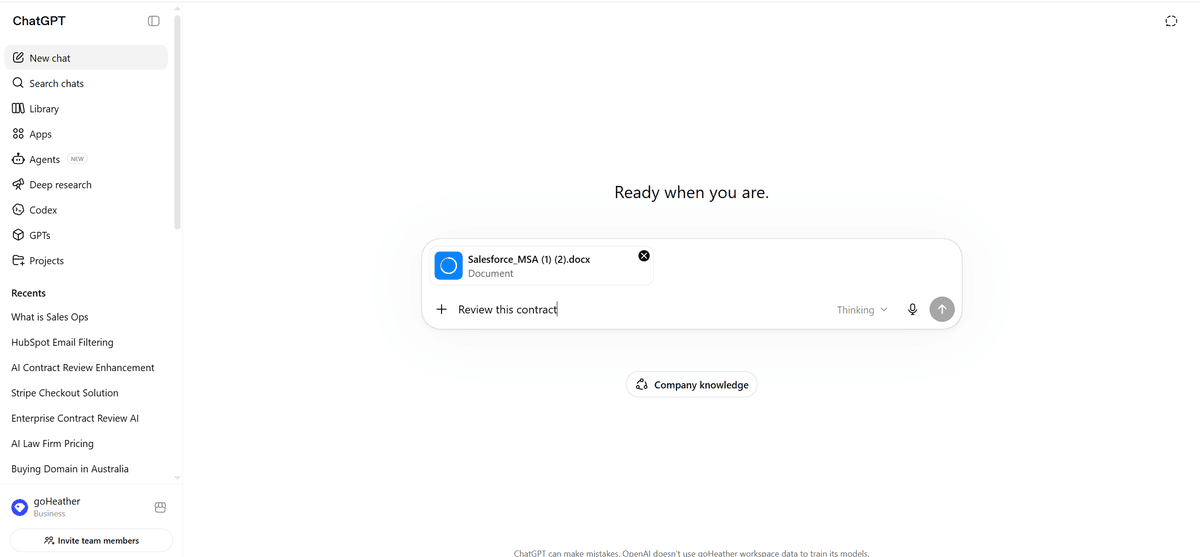
I uploaded Salesforce's standard MSA into ChatGPT and asked it to "review the contract."
ChatGPT thought for 16 seconds and came back with an "Executive summary" that called the agreement "Medium to High" risk, then a numbered list titled "The biggest issues are:" with entries like "Possible drafting/version-control problems," "Auto-renewal and non-refundable fees," and "Weak liability structure for customer risk."
It was a competent memo. The reasoning was largely correct. As a brief, it would not have embarrassed a junior associate.
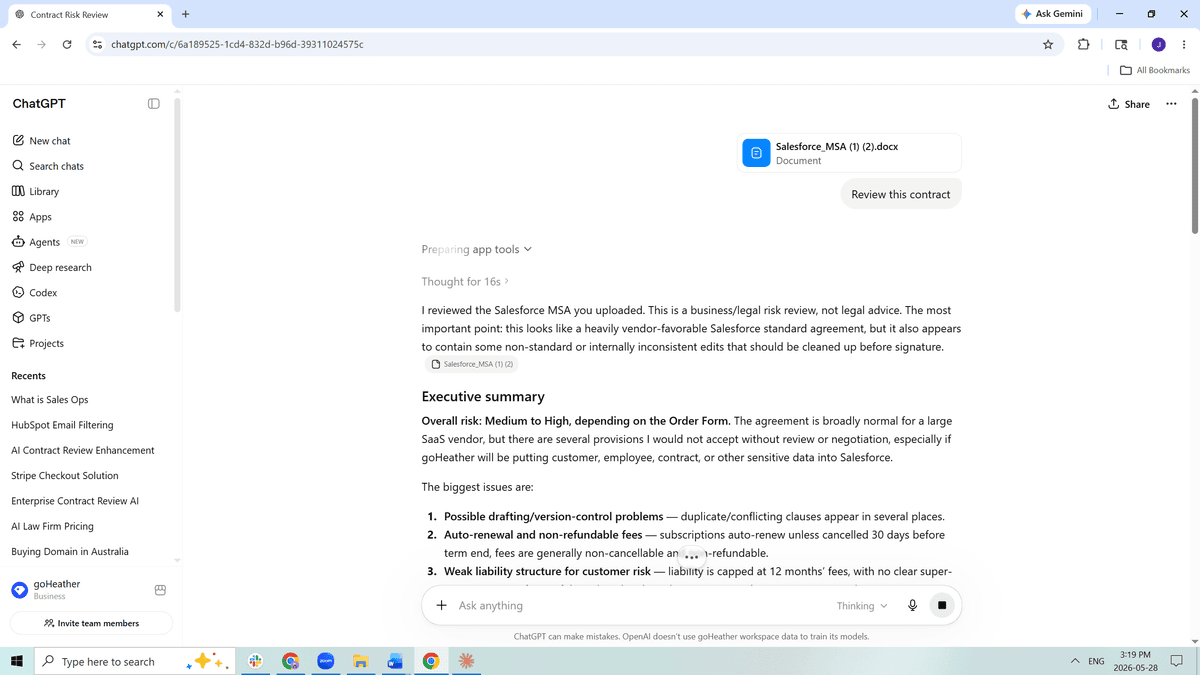
But it was a brief. It was not a redlined contract.
To actually do anything with it I would have had to open the DOCX, turn on Track Changes, scroll through 40 pages of Salesforce boilerplate to find each clause ChatGPT named, copy in new language, fix the formatting the paste broke, and keep a separate tally of which suggestions I had accepted and which I had skipped. The audit trail of what I changed would live in a ChatGPT chat tab, not in the file I send back to Salesforce.
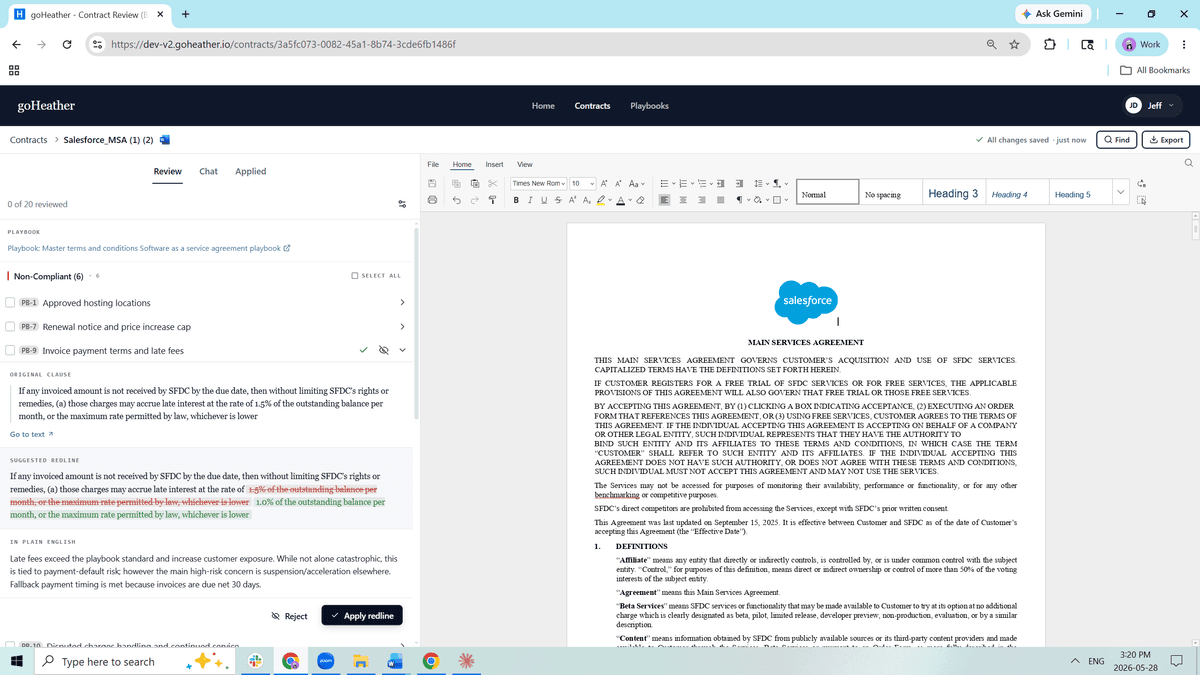
I ran the same MSA through goHeather. The contract opened in a Word-style editor in the browser, full ribbon at the top, the document rendered with its real formatting including the Salesforce logo and the "For Customers domiciled in Asia or the Pacific Region" jurisdiction table. The review appeared in a panel beside the document, organized by my SaaS playbook. The header said "Non-Compliant (6)" and listed the failing positions by playbook ID: PB-1 Approved hosting locations, PB-7 Renewal notice and price increase cap, PB-9 Invoice payment terms and late fees, and so on.
Each item expanded into the same three blocks: the Original Clause pulled straight from the contract, a Suggested Redline showing the strikethrough and the insertion inline (1.5% struck out, 1.0% inserted in green), and an In Plain English explanation of why it matters. Two buttons at the bottom: Reject, and Apply redline. Click Apply, and the edit lands in the document. Move to the next one.
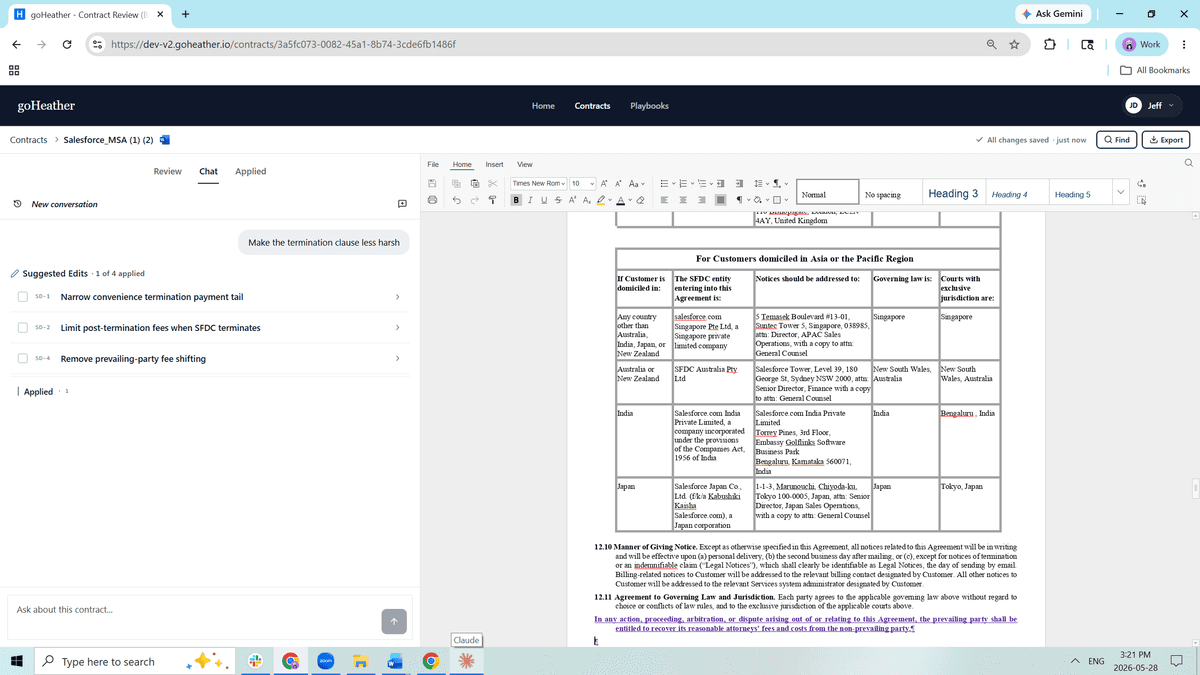
There is a Chat tab next to Review. I typed "Make the termination clause less harsh." goHeather did not write me a paragraph of suggested language to copy and paste. It produced a list called "Suggested Edits" with three discrete items: SD-1 Narrow convenience termination payment tail, SD-2 Limit post-termination fees when SFDC terminates, SD-4 Remove prevailing-party fee shifting. Each one was its own applyable change with its own checkbox.
That is the same architecture as the playbook review. Reasoning on one side. Discrete, applyable edits on the other. The chat does not give you words to copy. It gives you actions to accept.
ChatGPT, like Claude and Gemeni is built to have a conversation, and so is the balance of all legal tools like Harvey and Legora. But A contract review is not a conversation. It is a structured pass over a document where you make a yes/no call on each clause against a known standard.
The conversation shape rewards exploration. You ask a question, you get an answer, you ask a follow-up. That is great for "what does this clause mean" or "draft me a counter-position on assignment." It is bad for "go through this 40-page MSA and tell me everywhere it deviates from my standard, with the deviations already marked up so I can review and accept them."
The review shape rewards consistency and surgical edits. You want the same playbook applied the same way every time. You want the change to land in the document, not in a transcript. You want to be able to scroll the document while you work, not scroll a chat. You want an audit trail attached to the file you actually send.
ChatGPT is not built to provide any of that. Canvas gets closer, but it is not Word, it does not natively round-trip DOCX formatting in front of you, and it does not understand what a playbook is. You can paste your standard positions into a Custom GPT or a project, but anyone who has used those features for more than a week knows the model drifts and eventually doesn't even remember what company you work for, let alone remember your company's standard clause rules. Halfway through a long review, your "always require mutual indemnities" rule will quietly stop firing.
A drift in a brainstorm is a minor annoyance. A drift in a contract review is a missed deal-breaker.
People throw the phrase "purpose-built" around a lot. For goHeather, it means three concrete things ChatGPT does not do.
First, the document is the workspace. You read the contract in an editor that handles real DOCX — tables, numbered lists, defined terms, track changes — and the AI suggestions appear next to the document, not in place of it. Your eyes stay where they need to be.
Second, the playbook is a first-class object. You define your standard positions once, each gets an ID like PB-7, and the system applies them on every review, in the same order, with the same logic. No prompt engineering. No reminding the model what your cap should be. The playbook does not drift because it is not living inside a prompt window.
Third, every suggestion is a discrete action. One Apply redline button, one Reject button, per issue. The edit lands in the document when you accept it. You can see exactly what changed and undo it. The result is a marked-up Word file with a saved state, not a chat log you have to translate.
We are not anti-OpenAI. We use their models, along with Anthropic's and Google's, inside goHeather. The frontier models do the reasoning. We build the workflow around them. When OpenAI ships a better model, our product gets better. The model is the engine.
If your job is "read this contract and tell me what to think about clause 7.2," ChatGPT is excellent. If your job is "review this contract against our standards and give me a marked-up version I can send back today," that is a different product, and we built it.
Use ChatGPT when you want to understand a clause, explore an argument, draft language from scratch, or get an opinion on a negotiation point. It is fast, flexible, and a good thinking partner.
Use goHeather when you have a contract in hand, a standard you want applied to it, and an inbox waiting for a redlined version. The work product at the end is a Word document with track changes, not a chat transcript you have to convert into one.
The bet behind goHeather is not that frontier models will plateau. They will keep getting better and that helps us, not hurts us. The bet is that contract review has a fixed shape — document, playbook, pass/fail, redline, send — and that the shape is worth building a product around instead of forcing into a chat window.
ChatGPT can review your contract. goHeather gives you the redlined contract back.
Try it for free here.
Jeff Dutton is a lawyer who advises on technology, corporate, privacy, commercial, employment and real estate law.
Jeff founded his own small law firm, Dutton Law, in 2016 (and merged it with a larger firm in 2019). Before that, Jeff was a prosecutor and a commercial law lawyer at a national boutique law firm.
Jeffrey is a frequent lecturer on legal matters and has been published in newspapers and trade journals. In addition, Jeff was the editor and co-author of a leading employment law text for lawyers for many years.
Education:
Western University, BA (2009)
University of Ottawa, Faculty of Law, JD (2012)
Get the latest contract tips, updates, and exclusive content straight to your inbox. Subscribe now and never miss out on what's new in contract law or at goHeather!
Our AI sifts through each clause, identifying potential risks. This enables us to provide quick yet comprehensive contract reviews, equipping you with the legal information you need to make informed decisions.
USA
1 Sansome St., Suite 1400
San Francisco, CA 94104
United States
International
10 Dundas St. East, Suite 1002
Toronto, ON M5B 2G9
Canada